Bring it together
Import statements and review dates, amounts, possible duplicates and suggested tags before saving.
FOR MAC · PRIVATE BETA
Turn a year of messy bank statements and scattered receipts into clear, organised records with ottiyo. Built for Mac, it helps you group similar transactions, tag expenses in batches and bring everything together for personal tax, quarterly BAS or everyday planning. Spend less time sorting, see what still needs attention and give your accountant a clear handoff—all with your financial records stored locally on your Mac.
Ask about the betaAustralia-first. Local on your Mac. macOS 14 or later.

A look inside ottiyo
Real screens from the Mac beta, using fictional sample records.
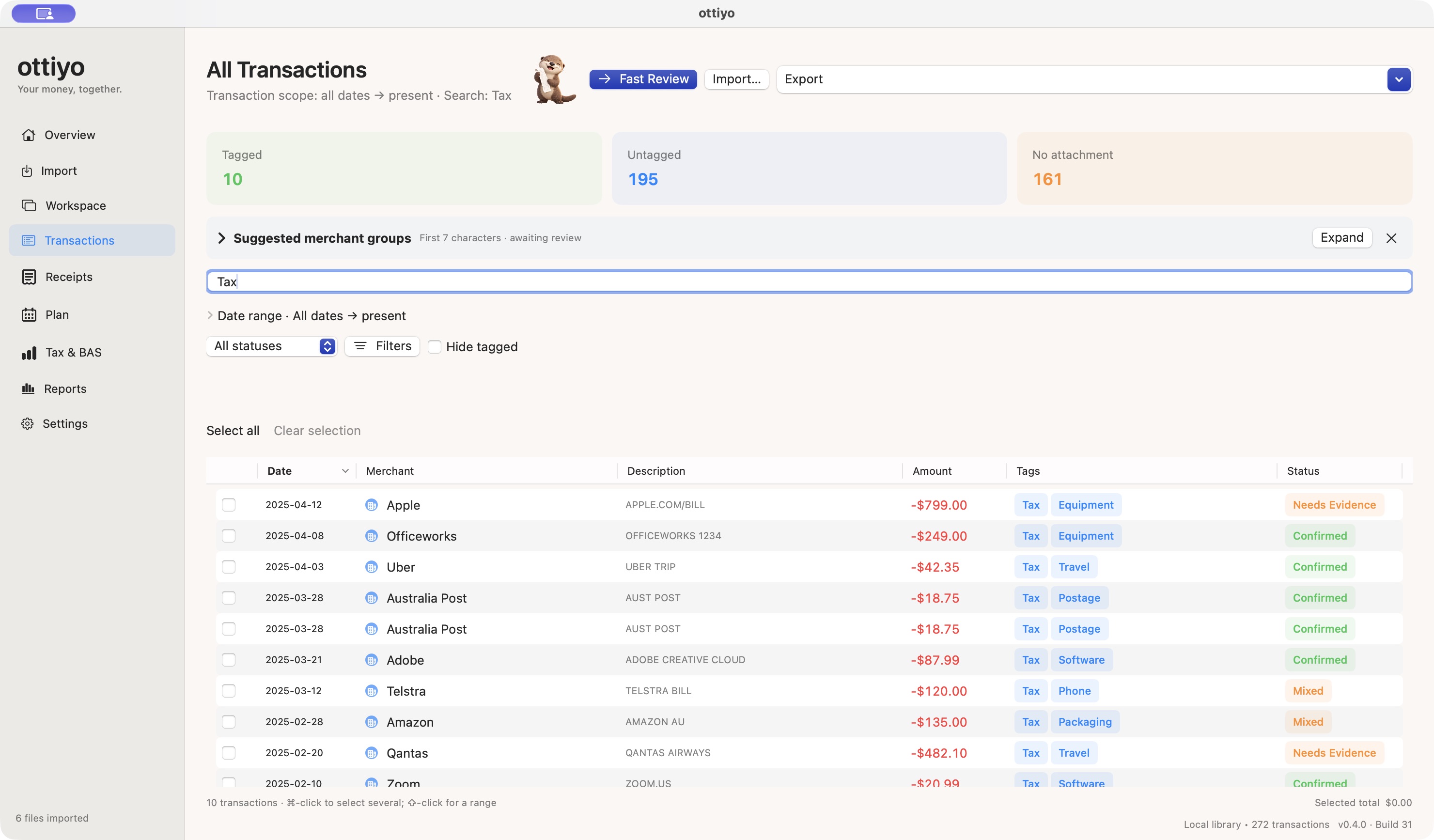
Search your records, sort transactions and use merchant groups to organise similar purchases. Tax and GST checks stay separate from tagging.
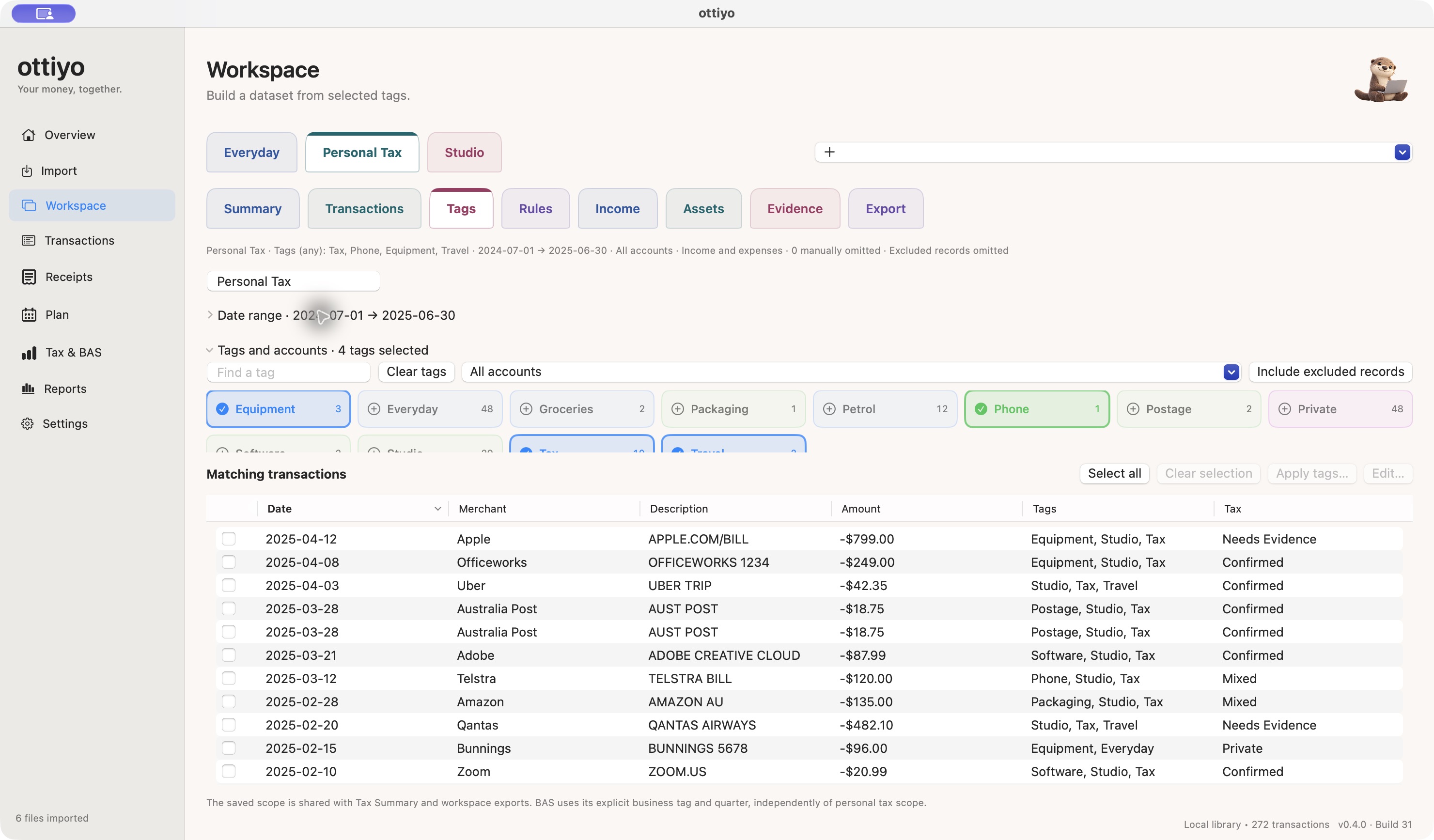
Combine tags into a workspace and see the matching transactions below. Build a view for a year, a quarter or the dates you need.
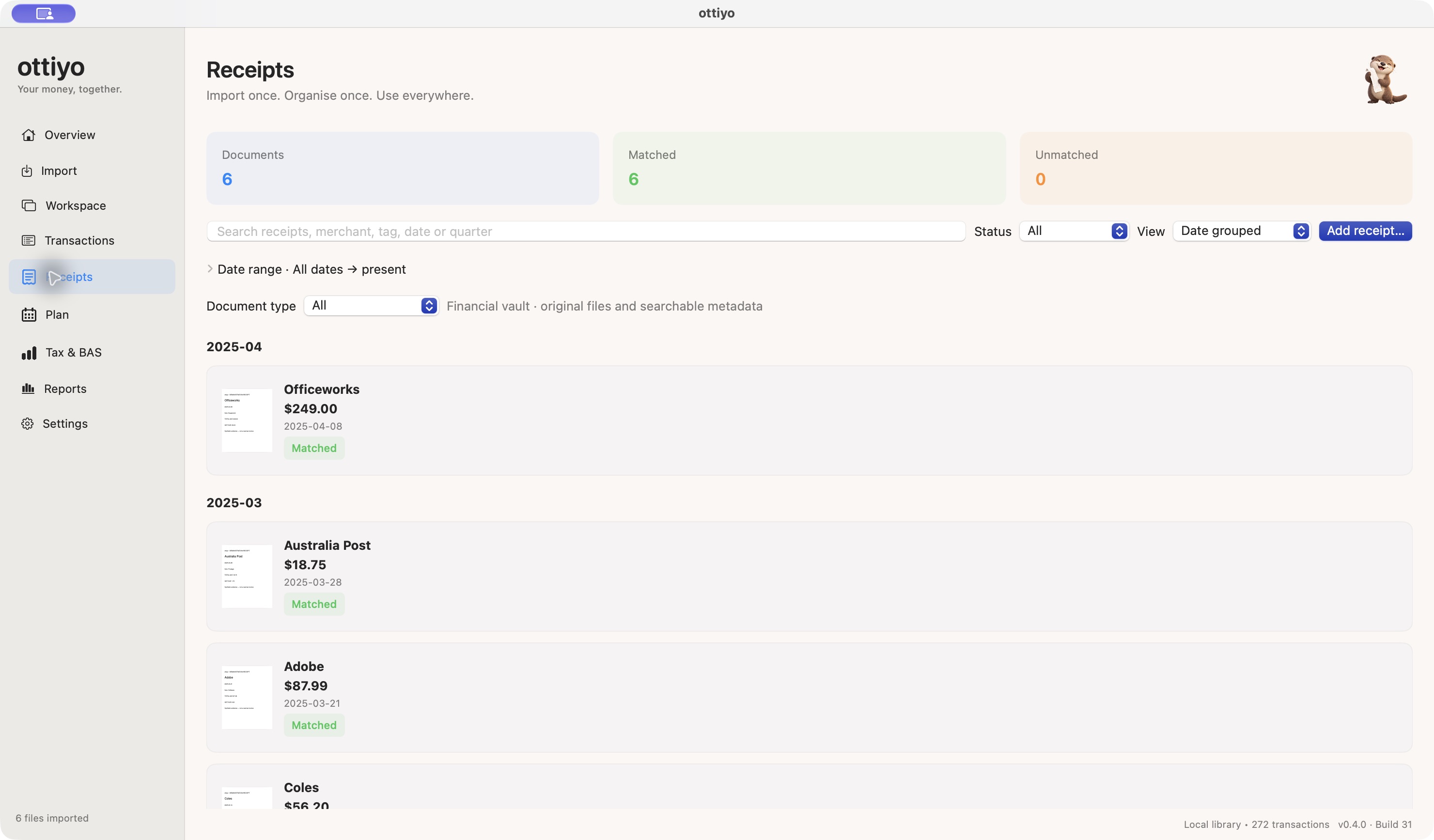
Keep receipt images and PDFs in one searchable library, with matched transactions and original documents close at hand.
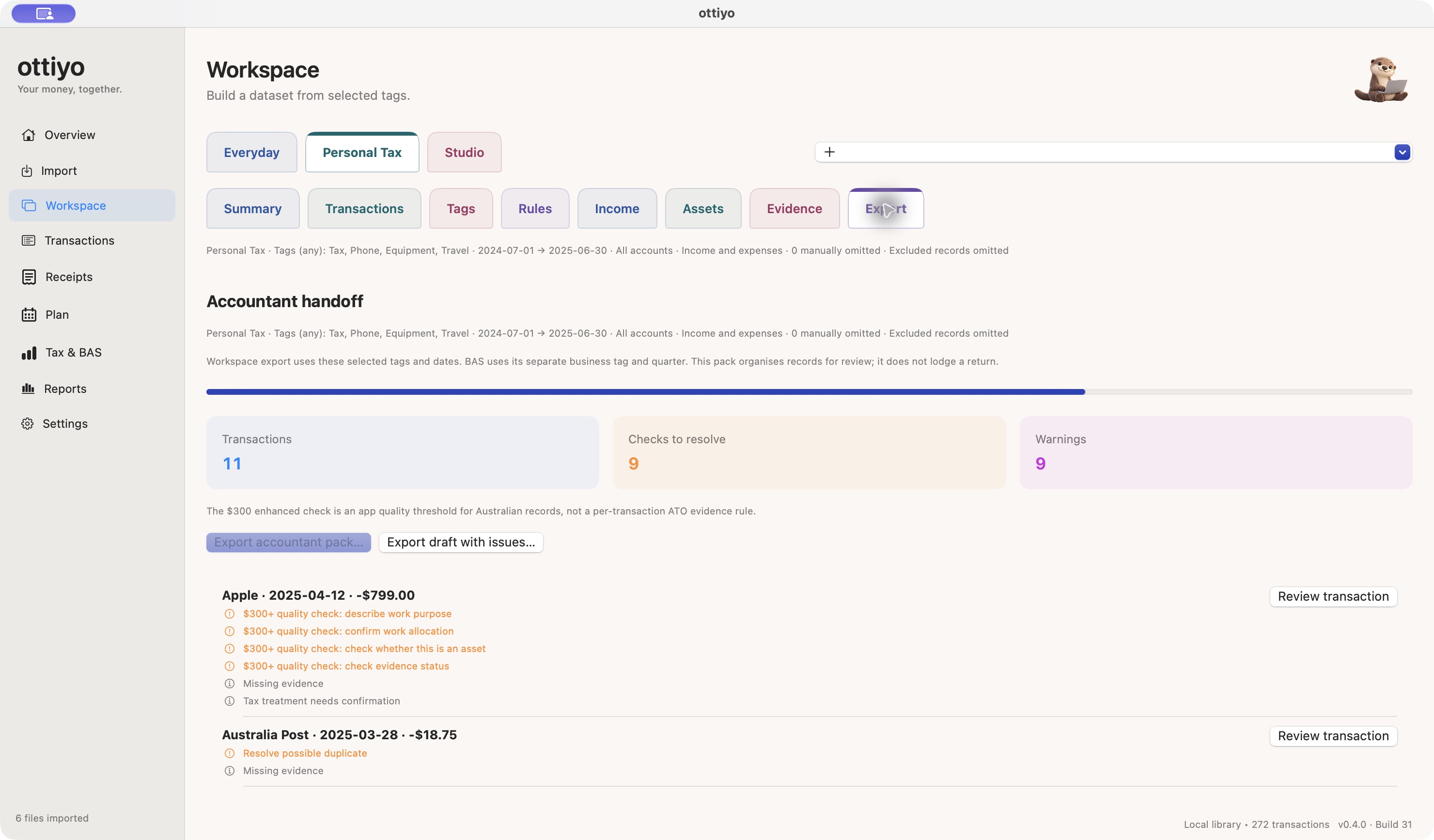
Check the selected scope and outstanding issues before export. If work is still in progress, create an explicitly labelled draft for review.
Demo data only · Mac beta · Screens may change as the app develops. Preparation tools do not lodge returns or determine eligibility.
LESS SORTING. MORE PROGRESS.
Tag a whole merchant group in one go. Fast Review brings similar transactions together so you can check them, apply tags in batches and move on—without working through every purchase one by one.
Import statements and review dates, amounts, possible duplicates and suggested tags before saving.
Review merchant groups, add your own tags and collect the receipts that support your records.
Choose the tags, dates, people and accounts for a workspace. Check what’s included before you export.
Resolve outstanding checks, or export an explicit draft with issues visible for your accountant.
YOUR RECORDS, YOUR MAC
Your library and receipt recognition stay on your Mac. The current Mac app has no developer analytics, advertising, hosted AI or active cloud sync.
You decide where backups and exports go. Original statement data stays available when you need to check it.
Read the privacy informationNo. It organises records and accountant handoff packs. It does not lodge returns or automatically decide deductions.
Australian GST-registered quarterly cash-basis Simpler BAS preparation, including G1, 1A and 1B. Other accounting bases and reporting methods are unsupported.
Other countries have local organisation settings, not complete statutory engines. WFH and car tools are user-entered estimate ledgers; eligibility, annual limits and overlapping claims require review. Asset records do not automatically calculate statutory depreciation.
The current beta is for Mac. An iPhone companion and cloud sync are not included.